


Boook: Speech Learning Stories
0.00.00 Reviews
App Specs
- Version
- 3.4.1
- Updated On
- License
- Free
- Downloads
- 50,000+
- Developer
- AG Softworks LTD
- Categories
- Educational
- Platform
- Android
Screenshots
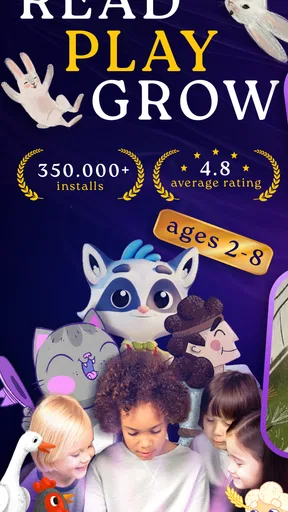
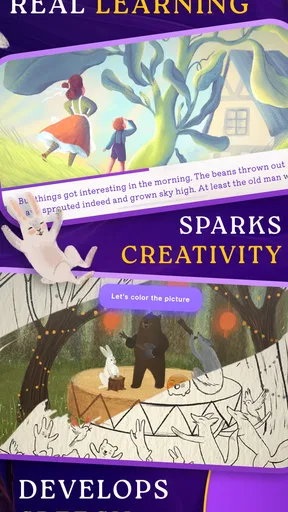
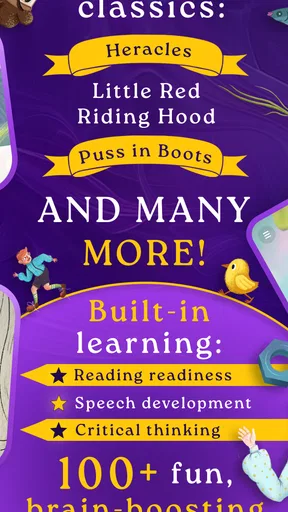
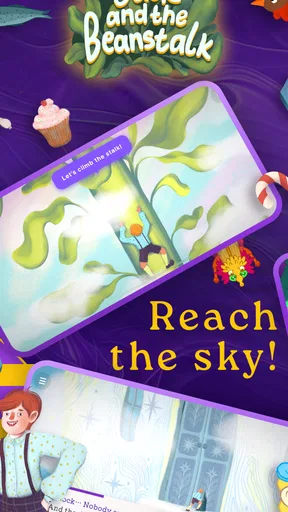
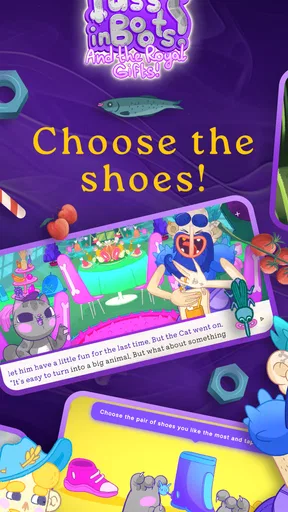
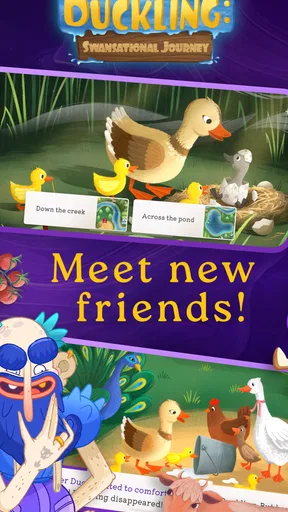
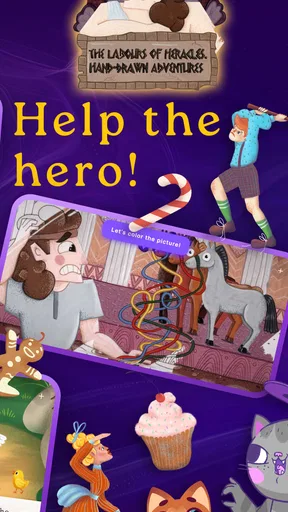
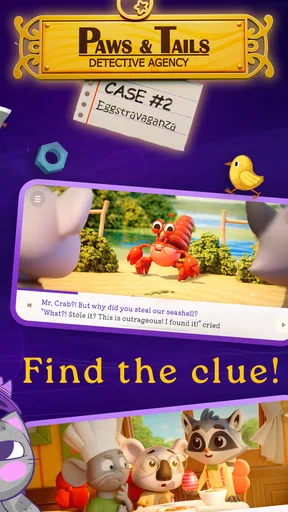
 Analysis by AppCompare
Helping a child begin reading can feel harder than it sounds. The first challenge is not always finding another worksheet or flashcard set; it is finding something that keeps a young learner willing to try again after a mistake. Boook: Speech Learning Stories is an educational game from AG Softworks LTD that combines speech and phonics practice with story-based activities. I found its most useful quality in that combination: it gives reading practice a playful setting instead of presenting every exercise as a test.
The game is free to install and is suitable for Everyone, which makes it an easy option to consider for a family device. It has passed 50K+ installs, and the current version is 3.4.1. The app supports devices running Android 10 or later. There are optional in-app purchases ranging from $4.99 to $39.99 per item, so I would involve an adult from the beginning, especially if a child will be using the app independently.
What to expect from the learning experience
Boook is best understood as a gentle introduction to phonics and early speech practice, not as a complete replacement for a reading curriculum. Its central idea is appealing: children meet sounds and reading tasks through educational games and books, so the activity can feel more like exploring a small story world than completing a page of drills.
That distinction matters for first-time users. A child who already reads confidently may find the material too basic, while a beginner can benefit from the slower rhythm and repeated contact with sounds. I would especially consider it for a child who recognizes some letters but still needs help connecting sounds to spoken words.
The story format also gives parents a practical way to introduce the app. Instead of saying, “It is time for reading practice,” you can suggest reading or playing through a short story together. That change in framing may reduce resistance, although the app still works best when an adult stays nearby during the first sessions.
My main expectation would be steady exposure rather than instant progress. A game can encourage a child to listen, repeat, notice patterns, and try again, but it cannot replace conversation, shared reading, or feedback from a teacher. The strongest results are likely to come when Boook becomes one small part of a regular routine.
Who will get the most from it
This game makes the most sense for young learners at the beginning of their reading journey, particularly those who respond better to pictures, stories, and interaction than to printed exercises. It can also suit families looking for a short activity during a quiet afternoon, a travel break, or a transition between play and bedtime.
Worth Reading Before You Choose

EA SPORTS FC Mobile 26 Is a Bigger Football Game, but It Takes Time

Flipboard Shows What News Apps Must Do Beyond the Feed

Switching to Android Auto Means Rethinking Your Driving Routine

Google Calendar Makes a Crowded Week Easier to Manage

Ludo King Makes the Most of the Minutes Between Plans

Baby Panda World Brings Quick Play to Modern Phones, but Its Game Library Feels Busy
I would be more cautious about using it as the main tool for a child with a significant speech or reading difficulty. In that situation, a specialist can adapt practice to the child’s exact needs, while an app can only offer the activities it was designed to provide. Boook may support that work, but it should not be treated as an assessment or therapy session.
It is also not the right choice for an older learner who wants advanced vocabulary, detailed grammar instruction, or long-form reading. The appeal here is early literacy and speech practice. Choosing it for a different age or skill level could make the experience feel repetitive rather than encouraging.
Starting without making the first session stressful
Before handing over the device, I would make sure the operating system meets the Android 10 minimum and that the child has a comfortable place to sit. This sounds ordinary, but it prevents a common problem: beginning a learning activity when the device is nearly out of battery, notifications are competing for attention, or the screen is being held at an awkward angle.
I would also decide in advance whether the child will play alone or with an adult. For a first session, shared use is better. Sit beside the child, let them tap when possible, and resist the urge to answer immediately. The goal is not to finish quickly; it is to let the child notice what the game is asking.
Because the app includes optional purchases, an adult should handle any purchase decisions rather than leaving the child to explore payment screens. The free starting point makes it possible to see whether the style suits your family before spending anything. That is a useful advantage, but it also means you should pay attention to which parts are available without payment and whether the child understands the difference between learning content and an optional upgrade.
I would keep the first visit short, even if the child wants to continue. Ending after a positive moment is often more useful than stretching the session until attention disappears. A child who finishes feeling successful is more likely to return willingly the next day.
How to reach the first meaningful success
The first useful milestone is not completing the most activities. It is seeing the child listen to a sound or word, attempt a response, and understand that trying again is part of the process. When that happens, I would praise the specific action: “You listened carefully,” or “You tried that sound again.” Specific encouragement teaches the child what good learning behavior looks like.
For a first run, I would follow the game’s natural path rather than jumping around. Let the child meet the story or activity, listen to the instructions, and tap through at their own pace. If a prompt is unclear, repeat the instruction in simpler everyday language instead of taking control of the device. This keeps the child connected to the task.
A useful home routine is to pause after a sound or word and ask the child to find another familiar word that begins similarly. That turns a screen activity into a real-world listening exercise. You can use a toy, a book, or something in the room. The app provides the starting point, while the surrounding conversation helps the child understand that sounds are not limited to the game.
Another practical technique is to separate recognition from speaking. First ask the child what they heard. Then invite them to repeat it. If they hesitate, model the sound naturally and let them try without correcting every detail. Too much correction can make a beginner focus on avoiding mistakes instead of listening and experimenting.
When the child succeeds, move on rather than immediately repeating the same task many times. Repetition is valuable, but forced repetition can make a playful exercise feel like a drill. I prefer returning to a difficult sound during another short session, when the child’s attention is fresh.
Where first-time users may become confused
Young children do not always understand the difference between a story action and a reading action. They may tap quickly because they enjoy the movement, even when the important part is listening to a word or noticing a sound. If that happens, I would slow the pace verbally: ask the child to listen first, then let them choose the next tap.
Speech practice can also feel uncomfortable for a shy child. A child may know an answer but avoid saying it aloud, especially when an adult is watching closely. In that case, I would allow a quiet attempt, a whisper, or a response together with the parent. Confidence usually grows more easily when speaking is invited rather than demanded.
Another possible source of confusion is assuming that a correct tap means the child has mastered the sound. Recognition on a screen and clear pronunciation are related but different skills. I would occasionally ask the child to use the sound in an ordinary word away from the device. That quick check gives you a better sense of whether the learning is carrying over.
Parents may also wonder whether to correct every wrong answer. My advice is to correct only what is useful in that moment. If the child is mixing up a sound, say it clearly, compare it with the target, and offer another chance. If the child is simply rushing, remind them to listen. Turning every mistake into a long explanation can make the activity feel heavier than it needs to be.
The purchase model deserves similar attention. Since the game is free but includes optional items, a child may not naturally understand why one choice behaves differently from another. I would explain that some content decisions belong to the adult. This makes the device boundary clear and avoids turning a reading session into an argument about unlocking something.
Using it in an ordinary family routine
Imagine a child coming home from school tired but still needing a calm activity before dinner. I would offer a brief Boook session, sit nearby for the opening, and let the child work through a manageable piece of the story. Afterward, I would ask one question about the sound or word they encountered rather than testing everything they did.
That approach keeps the app from becoming a reward that must be earned or a chore that must be endured. It becomes a predictable literacy moment. On another day, the same routine could work during travel, provided the child has a suitable device and the environment is not too distracting.
For families with more than one child, shared use may require a little planning. A younger learner may need to control the activity, while an older sibling might be tempted to answer. I would give the learner a turn without interruption, then invite the sibling to listen or find a related word. This protects the beginner’s confidence and turns the activity into cooperation rather than competition.
Short sessions are also easier to fit around real life than ambitious study plans. I would rather use the game consistently for a few minutes and connect it to conversation than schedule a long session that ends with frustration. The app’s value comes from making practice approachable, not from keeping a child in front of the screen for as long as possible.
How it compares with familiar alternatives
Compared with paper phonics worksheets, Boook offers more immediate interaction and a more inviting route into practice. A worksheet can be excellent for handwriting, visual review, or showing a teacher what a child understands, but it does not provide the same game-like response. On the other hand, paper is easier to personalize and does not bring purchase choices or screen distractions into the lesson.
Compared with ordinary picture books, this game adds guided activities around speech and sound awareness. A physical book remains better for teaching how to hold a book, follow a page, discuss a character, and enjoy a longer shared reading experience. I would use Boook as a companion to books, not as a reason to remove them from the routine.
Compared with video-only learning, an interactive game can give the child more opportunities to act instead of simply watching. That can be helpful for attention, but it also means the child may focus on tapping rather than listening unless an adult occasionally redirects them. Video is easier to leave running; Boook is more useful when the child is actively engaged.
Compared with a structured literacy program, Boook is likely to feel lighter and less formal. That is a strength for motivation and a limitation for systematic instruction. If your priority is a carefully sequenced curriculum with detailed progress tracking, I would choose a dedicated educational program or teacher-led approach first. If your priority is making early speech and phonics practice feel approachable, this game is easier to bring into daily life.
Small habits that make the app more effective
One of the best habits is to use the same sound outside the app on the day it appears. Look for it in a food label, a toy name, or a family member’s name. This gives the child a reason to remember the sound and shows that reading skills are useful beyond the screen.
A second helpful habit is to let the child explain what happened in the story or activity. Even a simple explanation reveals whether the child was following the meaning or only completing taps. It also adds speaking practice without making the child feel as though they have started a separate lesson.
A third is to keep an informal note of recurring difficulties. You do not need a formal chart. Simply remember whether the child often rushes instructions, confuses similar sounds, or loses interest during longer activities. That observation helps you decide whether to repeat a short section, change the time of day, or move to a different learning resource.
I would also avoid using the app immediately after a demanding homework session if the child is already frustrated. A playful design cannot solve every attention problem. Sometimes the better next step is a snack, a conversation, or a physical book, followed by Boook later when the child is ready to listen.
My recommendation for a first-time family
Boook: Speech Learning Stories is worth trying if you want a free starting point for early reading and speech practice and your child enjoys learning through stories and simple games. I like that it can turn a potentially intimidating subject into a low-pressure invitation to listen, speak, and try again. The age rating of Everyone also makes its intended audience clear.
I would not present it as a complete reading solution. Its best role is a short, supervised activity that supports what children are already learning through conversation, books, school, and play. Families should also be comfortable managing optional purchases, since the free entry point does not mean every choice is automatically cost-free.
My practical recommendation is to install it, begin with an adult beside the child, and judge the experience by the child’s response rather than by how much content is completed. If the child starts listening more carefully, attempts unfamiliar sounds, and asks to return to a story, that is a meaningful early success. If the child becomes focused only on tapping, avoids speaking, or finds the level too easy, another resource may be a better fit.
For the right beginner, Boook: Speech Learning Stories works as a friendly bridge between play and early literacy. It is most effective when the screen opens the lesson, but a parent’s questions, encouragement, and everyday examples carry the learning into the real world.
Pros
- Short stories make daily speaking practice feel engaging and manageable.
- Useful vocabulary is presented in memorable
- real-life contexts.
- Audio playback helps learners notice pronunciation and natural speech rhythm.
- Progress tracking can encourage consistent practice over time.
- Suitable for learners who prefer guided content over open-ended lessons.
Cons
- The story selection may feel limited for advanced or highly specific learners.
- Some features may require a subscription or in-app purchase.
- Speech exercises can be less effective without regular speaking aloud.
- Learners seeking grammar explanations may find the lessons too lightweight.
- Audio and interactive content may use considerable mobile data when streaming.
FAQs for Boook: Speech Learning Stories
What is Boook: Speech Learning Stories and who is it designed for?
Boook: Speech Learning Stories is an educational app that uses interactive stories and spoken activities to help children practice language and speech skills. It is mainly designed for young learners, with activities intended to make pronunciation, vocabulary, listening, and communication practice feel more like play than formal study. Parents or educators may use it as a supplementary learning tool at home or in the classroom.
How does Boook help children improve speech and language skills?
The app combines story-based learning with listening and speaking exercises. Children can follow illustrated stories, hear words or phrases pronounced, and repeat them aloud while progressing through the activities. Depending on the available content and device features, the app may encourage practice with vocabulary, sentence formation, comprehension, and pronunciation. It works best when children use it regularly with encouragement from an adult.
Is Boook: Speech Learning Stories suitable for children who have speech or language difficulties?
Boook may be useful as an additional practice resource for children working on speech, vocabulary, or language development, but it should not be considered a replacement for assessment or treatment from a qualified speech-language professional. Every child has different needs, and the app’s activities may not address specific articulation, developmental, or communication challenges. Parents should consult a specialist for personalized guidance.
Does the app require an internet connection, a subscription, or in-app purchases?
The exact access model can depend on the version of Boook available for Android or iOS. Some stories or learning features may be free, while additional content could require a subscription, one-time purchase, or in-app payment. Users should check the current store listing before downloading, including pricing, trial conditions, and whether stories can be used offline after installation.
Is Boook safe and easy for children to use independently?
Boook is designed around child-friendly story activities, but parents should still review the app’s permissions, privacy policy, advertisements, and purchase settings before handing over the device. Younger children may need help navigating lessons or understanding instructions. It is also a good idea to enable parental controls, supervise the first sessions, and confirm that the content and difficulty level are appropriate for the child.


